
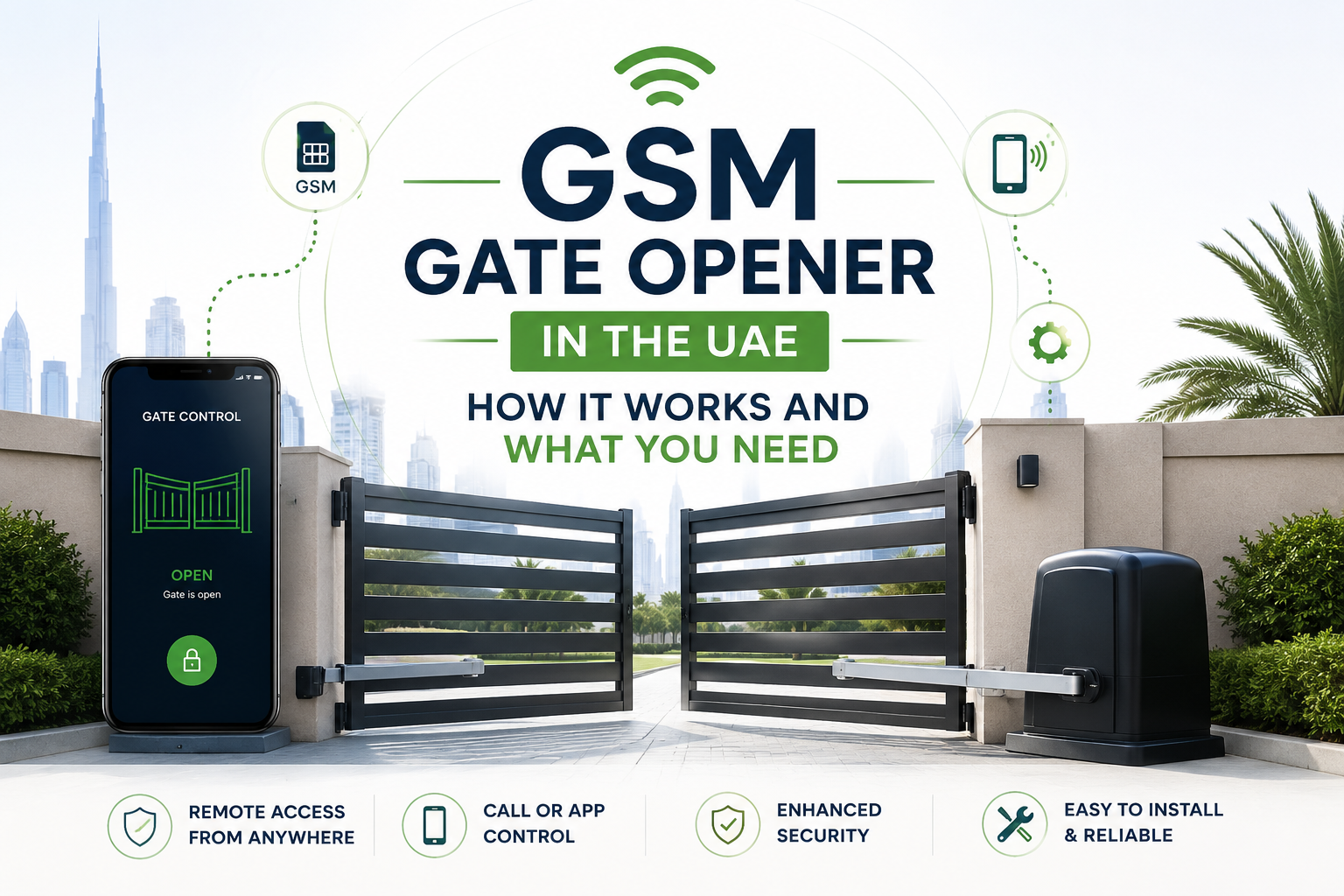
A GSM gate opener is a small box with a SIM card that opens your gate when you call it or send it a text. It connects to the gate control board through a relay, so it works from anywhere with mobile signal and needs no remote in your hand. This guide explains how it works, what you need to run one in the UAE, and where it falls short.
It suits villa owners, farms, staff entrances, and rental properties where handing out remotes is a hassle. It is a poor fit for a gate with no working motor, because the box only sends an open signal. It does not move the gate by itself.
Safety note. Connecting a GSM unit to a control board involves low-voltage and sometimes mains wiring. Isolate power before opening any board, and use a qualified technician for the connection. A GSM opener never replaces photocells, safety edges, or limit switches, and you should keep them active and test auto-reverse after any change.
How a GSM Gate Opener Works
The unit holds a SIM card and listens on the mobile network like a very simple phone. When an approved number calls, the unit recognises the caller and closes a relay for a moment. That relay behaves like a push button wired to your gate control board, so the gate runs its normal opening cycle.
Some units open the gate without answering the call. The manual for one example, the GSM100 installation manual from Door Entry Direct, says numbers stored in memory can call the unit to trigger the relay at no call charge. That manual covers a different model from the ones we sell, so treat it as an illustration of the general method, not a spec for any product in our store.
The relay is volt-free. In other words, it carries no power of its own, and it only joins two terminals together. That is why one unit can fit many different gate boards.
What the Unit Needs To Run
Every GSM gate opener needs four things: a power supply, a working SIM, mobile signal and a connection to the gate board. Missing any one of them is the usual reason a new install does not work.
Power
Supply voltage depends on the model. The GSM100 manual asks for 12V DC and warns that wrong polarity can damage the unit and is not covered by warranty. The WH-120 3G/4G listed in our store states a DC 9V to 36V range at 1A, so it can often share the 12V or 24V supply of the gate board. Check the voltage of your own board first.
SIM card
The unit needs an active SIM from a UAE mobile provider. The WH-120 page lists a nano SIM. The GSM100 manual advises testing the SIM in a phone first, making sure it is activated and has credit, and powering the unit off before you insert or remove it.
Keep the SIM alive. The GSM100 manual suggests sending the unit an SMS from time to time so the SIM does not lapse from inactivity. Ask your provider how long an unused prepaid SIM stays active.
Signal and antenna
Gate motors often sit behind a steel gate pillar or a solid wall. If reception is poor, the GSM100 manual recommends an external antenna on an extension cable. The WH-120 listing shows a 50 ohm SMA antenna connector, which suggests an external antenna can be fitted, though you should confirm that with the seller.
Before you buy, check the signal on your phone at the exact spot where the box will sit. Phone signal inside the house does not always match the signal at the gate.
Connection to the gate board
The relay output wires to the “open” or “step by step” input on the control board. Which terminal to use depends on the board, so read your board manual or ask a technician. If the unit is wired to the wrong input, it may open the gate fully when you wanted a pedestrian opening, or the other way round.
Choosing Between 3G, 4G and Older GSM Units
Network generation matters because a unit can only connect to a network its modem supports. The store lists the WH-120 3G/4G GSM gate opener, the WH-120 3G version and the WH-120 PRO 4G version as separate products.
The WH-120 3G/4G page lists quad-band GSM, 3G WCDMA on 900 and 2100 MHz, or 4G, using the word “or”. That wording does not say which exact bands a given unit carries. Before you order, ask which variant you will receive and confirm that your chosen SIM provider supports it in your area.
In our view, a newer unit is the safer pick when you plan to keep the system for years, because mobile networks do change over time. We cannot give you a date for any network change, so ask your provider.
What a Typical GSM Gate Opener Can and Cannot Do
Specs vary by model, so use the table as a guide to what to compare, with the WH-120 3G/4G values taken from its product page.
| Feature | WH-120 3G/4G (store page) | Why it matters |
|---|---|---|
| User capacity | Up to 200 numbers | Covers family, staff, and visitors |
| Supply | DC 9V to 36V, 1A | Must match your board supply |
| Relay | 3A at 250V AC, 20A at 14V DC, NO or NC | Sets what it can switch directly |
| Relay time | 0 to 900 seconds, adjustable | Lets you set a short pulse for a gate button |
| Wired switch | Supported | Adds a local button |
| Working temperature | -10 to 60 degrees C | Check against heat inside an enclosure |
The store page describes the unit as opening by SMS or by calling the SIM number, and as having no distance limit because it uses the mobile network. Those are manufacturer claims. The practical limit is signal at the gate and the state of your SIM.
Heat is a fair worry in the UAE. A small box in a sealed enclosure in direct sun can run hotter than the outside air. The listed upper limit is 60 degrees C, so shade and ventilation are sensible. That is our read, not a tested result.
Security and Day-to-Day Use
A GSM unit is a second key to your property, so set it up with the same care as a remote. Decide who needs access, note which phone belongs to whom, and review the list every few months.
Only approved numbers should open the gate. Keep the number list short, remove staff who have left, and change any shared code if the unit uses one. The GSM100 manual describes a pass code that lets numbers not in memory trigger the relay, and says the default can be changed. Whatever unit you buy, check how it treats unknown callers and change any default code.
Caller ID matters too. The GSM100 manual says access by caller ID may not work for some international calls if the number is not passed across networks. If guests call from abroad, test that before relying on it.
Do not give the SIM number to strangers. Anyone who has an approved phone can open the gate, so treat the phone like a key.
A Realistic Example
Take a hypothetical villa in Sharjah with a sliding gate, a working motor, and a control board with a spare open input. The owner travels often and a cleaner arrives on Tuesdays. Instead of giving the cleaner a remote, the owner stores the cleaner’s number in the GSM unit and removes it when the arrangement ends.
The owner can also open the gate for a delivery from another country, as long as the unit answers calls from that number and the SIM is active. The gate still obeys its photocells and limit switches, because the unit only presses the same button a remote would press.
This example is illustrative, not a client case. It shows why the free input and the signal at the gate matter more than the model name.
Who Should and Should Not Buy One
A GSM gate opener is a good match if you have a working automatic gate with a spare input, want to let in staff or deliveries without handing out remotes, or manage a property from another place. It also makes sense where wiring a cable to an intercom would be hard.
It is not a good match if the gate motor has faults, the board has no spare input, or there is no mobile signal at the gate. Fix those first. A GSM unit cannot repair a gate that stops halfway or ignores its remotes.
Common Questions About a GSM Gate Opener
Does a GSM gate opener need Wi-Fi?
No. It uses the mobile network through its SIM card. That is useful for a gate far from the router.
Will it work if the power goes out?
Not by itself. The unit and the gate motor both need power. Check whether your motor has a battery backup or manual release, and keep the manual release instructions where you can find them.
Can I use it with my existing remotes?
The unit adds a second way to trigger the gate through a relay, so it does not need to replace your receiver. Confirm the board has a free input before you buy, and ask a technician to check the wiring.
Does it include the SIM card?
The WH-120 page does not say. Ask before you order, and plan to buy a SIM separately.
What To Do Next
Check three things before buying: your board has a free open input, you get phone signal at the gate, and your SIM provider supports the unit’s network. If all three are fine, a GSM unit is usually a simple add-on.
Gate Automatic delivers within the UAE, and products carry a 2-year warranty. You can browse the GSM gate opener category or message us on WhatsApp at +971 52 376 2503 for advice on a match.
2 Comments
Trackbacks and Pingbacks
[…] if the control board accepts a GSM or similar module, but you must check the board manual. See the GSM gate opener guide for how that […]
[…] needs a working SIM and a compatible board input. Our article on the GSM gate opener in the UAE explains what you […]